 skyfleet
Environments
Your repo with everything installed, saved ahead of time so agents start in seconds.
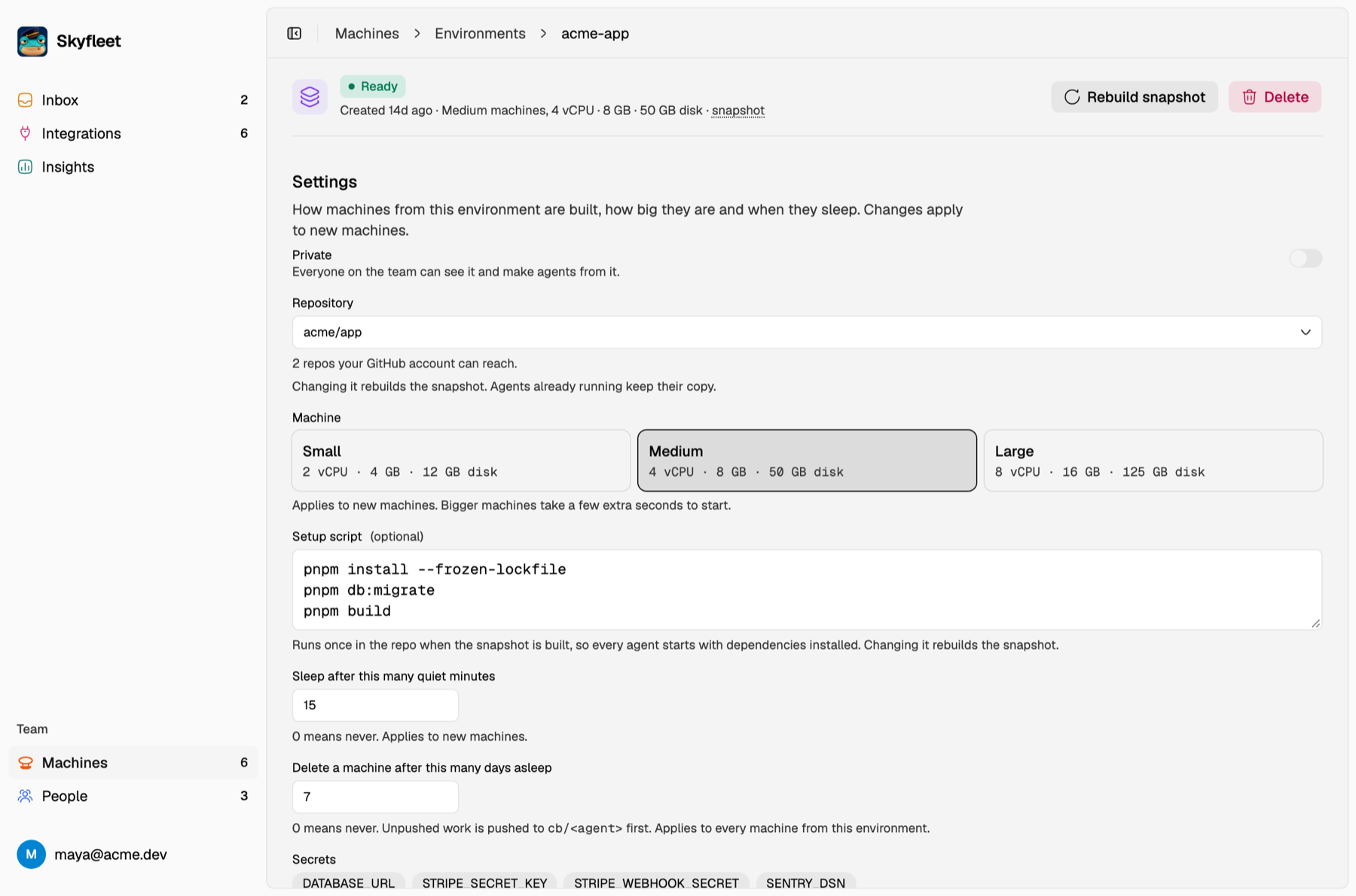
The quickest way is to run skyfleet in a repo that has none. It suggests a name, a machine size and a setup command
from your lockfile, and can copy secret values from your .env for the names in .env.example. From a repo in
New machine does the same from the dashboard.
To make one by hand, go to Machines → Environments → New environment and fill in:
| Field | What it's for |
|---|---|
| Repository | The GitHub repo to clone |
| Name | Goes in front of every agent's name |
| Machine | The size new agents get |
| Setup script | Runs once when the environment is built: install packages, start a database, add sample data |
| Secrets | KEY=value lines that every agent gets |
| Sleep after | How many quiet minutes before an agent goes to sleep |
| Delete after | How many days asleep before an agent is cleaned up |
| Private | On by default. Switch it off to share the environment with your team |
The default environment
Error tracking and alerts start their agents in the team's default environment, so connecting one asks nothing about repos. Set it once in the Inbox: sign in the team account's Claude seat, connect its GitHub, then pick the repo. To change it, pick another repo there, or use Make default in an environment's menu. The default is always shared with the team.
A good setup script
npm ci
docker compose up -d postgres
npm run db:migrate && npm run db:seed
Agents can read secrets
Claude can see an environment's secrets, so stick to test credentials there. For real data, connect a database instead, where the password never leaves the server.