 skyfleet
App errors
Send your app's errors straight to Skyfleet, and every new one starts Error fixing.
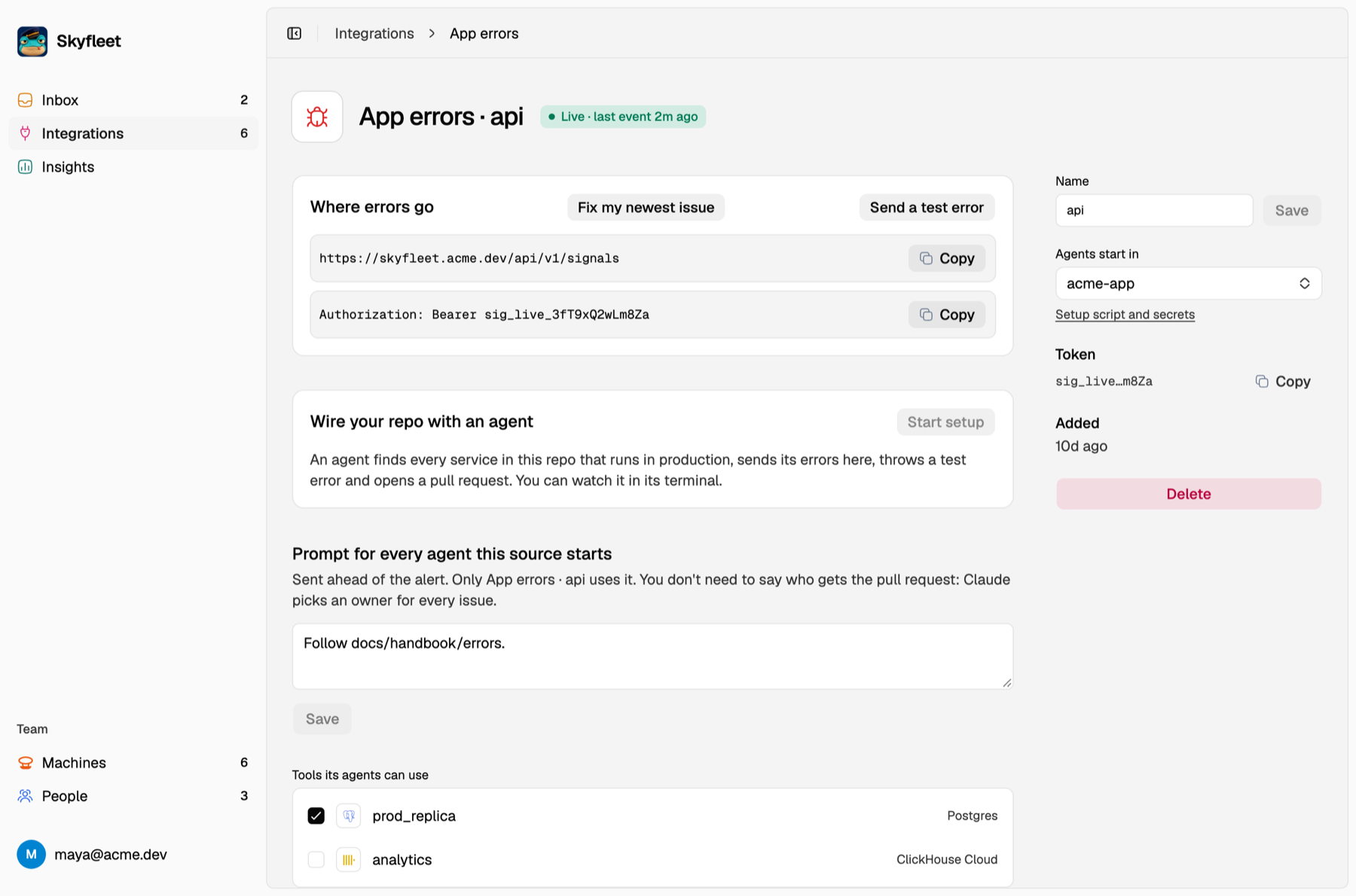
Go to Connections, press Add on App errors under Error tracking, and Connect. You get a prompt
with your SIGNALS_URL and SIGNALS_TOKEN: Copy prompt and paste it into Claude Code at the root of your repo, or
press Start setup on the source's page and an agent does it for you. Either way, it finds every service that runs
in production, sends its errors here and throws a test error. Your own Claude shows you the diff to commit; the
Start setup agent opens a pull request. Send a test error opens an
issue with an agent right away, so you see it work.
Adding App errors puts the Error fixing use case on your Dashboard. That use case decides what its agents do: its instructions, the environment they start in and the tools they get. Turn it off and errors still land in the Inbox, but no agent starts. Add App errors again for another repo or team; each one is its own row with its own token. Agents run on the team account, or as whoever added it until that's set up. Anyone on the team can open, message and pause them.
Here's what your app sends:
POST /api/v1/signals
Authorization: Bearer sig_…
Content-Type: application/json

{ "service": "api", "message": "Cannot read properties of undefined", "stack": "TypeError: …" }
The same error always lands on the same issue, even across releases. Only a brand-new error, or one you resolved that comes back, starts an agent. All the details are in the Errors API.