 skyfleet
Machines
Every agent works on its own cloud machine. Open one, start your own, preview what it runs, and know what it costs.
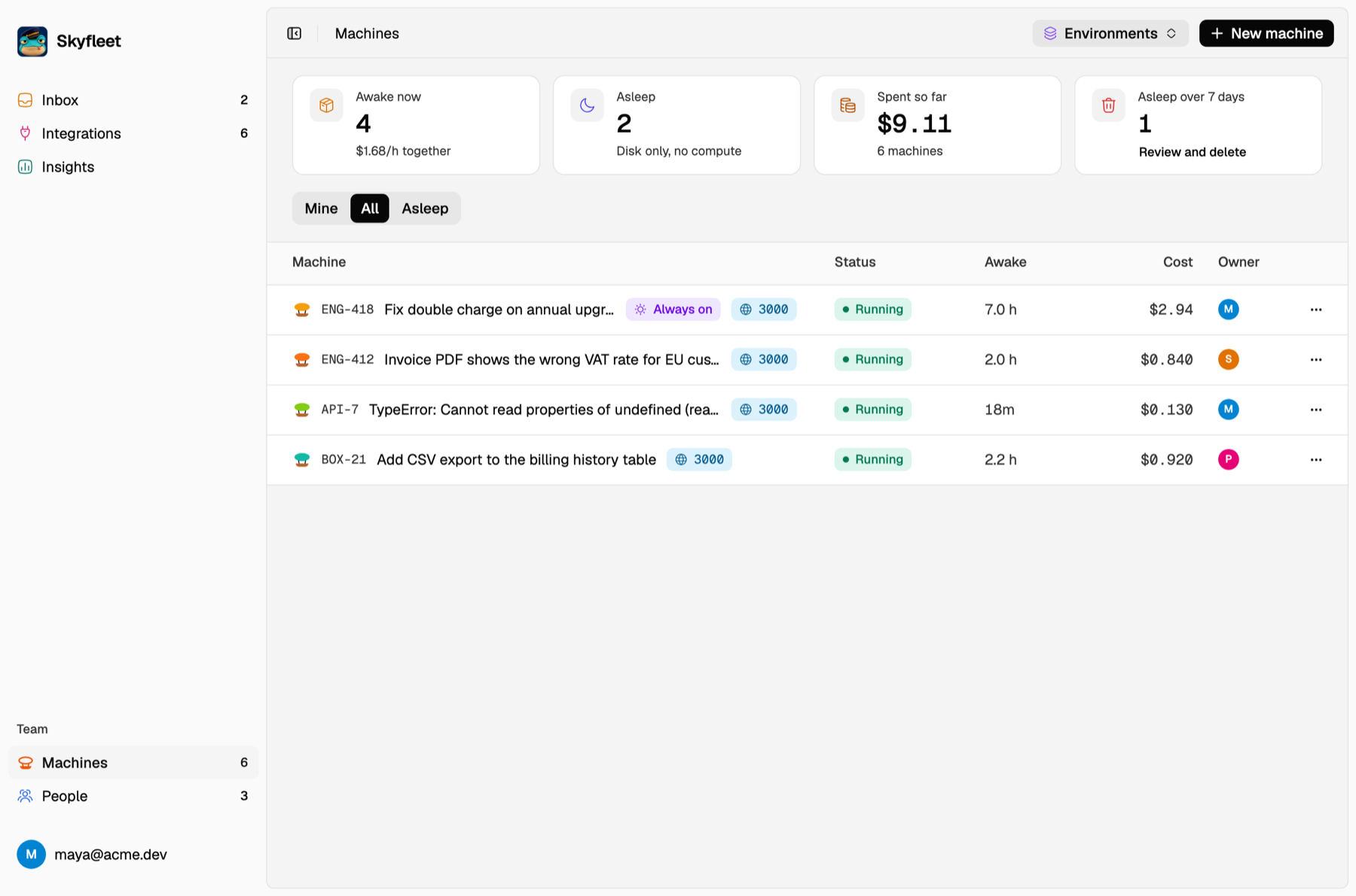
Each agent gets a fresh cloud machine, not your laptop, made from an environment with your repo checked out. Machines lists the team's agents, starting with just your awake ones: switch off Mine only to see everyone's, and turn on Show paused for the sleeping ones. Open one to see its terminal, its preview links, what it has done and what it has cost. Agents that alerts, errors, webhooks and Linear start can be opened by anyone on the team.
Start one yourself
npm i -g @abuaboud/box
skyfleet login
cd ~/your-repo && skyfleet
Claude opens in your terminal, and every build, test and server runs on the machine. Your files sync in a second, and
git and your .env stay on your laptop. Add --remote to run Claude on the machine so it keeps going after you close
the terminal, or --agent codex to use Codex. The CLI reference has every command.
To hand off work without watching it, submit it. Each one becomes an issue in your Inbox with its own agent:
skyfleet submit "Fix the flaky checkout test" "Add a CSV export to the invoices page"Preview links
Every server the agent starts on a port between 1024 and 32767 gets a link within about a minute. It shows on the
agent's page, and your teammates can open it too. Run preview 3000 on the machine to get it right away, or ask
Claude for a preview link. Start servers on 0.0.0.0, not 127.0.0.1, and if you're not using Vite, allow
*.on.boat.dev as a host.
Bring your files
An agent can't see your laptop. Copy over what it needs, or ask Claude to:
scp ~/your-repo/.env <agent>.skyfleet:repo/
ssh -f -N -R 5432:localhost:5432 <agent>.skyfleet
The second line lets the machine reach your local database on its own localhost:5432.
Sleep and cost
| Size | Machine | Per hour awake |
|---|---|---|
| Small | 2 vCPU · 4 GB · 12 GB disk | about $0.02 |
| Medium | 4 vCPU · 8 GB · 50 GB disk | about $0.04 |
| Large | 8 vCPU · 16 GB · 125 GB disk | about $0.07 |
- It sleeps after the environment's quiet minutes once nobody's typing and the agent has nothing to do. A New machine from the dashboard always waits 15. Asleep is free.
- It wakes in seconds when you run
skyfleet <name>,sshinto it, send it a message or press Resume. - It's cleaned up after the environment's days asleep (7 by default). Anything unpushed is committed and pushed
to the branch
cb/<name>first, so push what matters. - Always on keeps it awake. Resize moves it to another size at any time.