 skyfleet
Use cases
The jobs you hand to agents. Each one decides what starts an agent, what it's told and how it's measured.
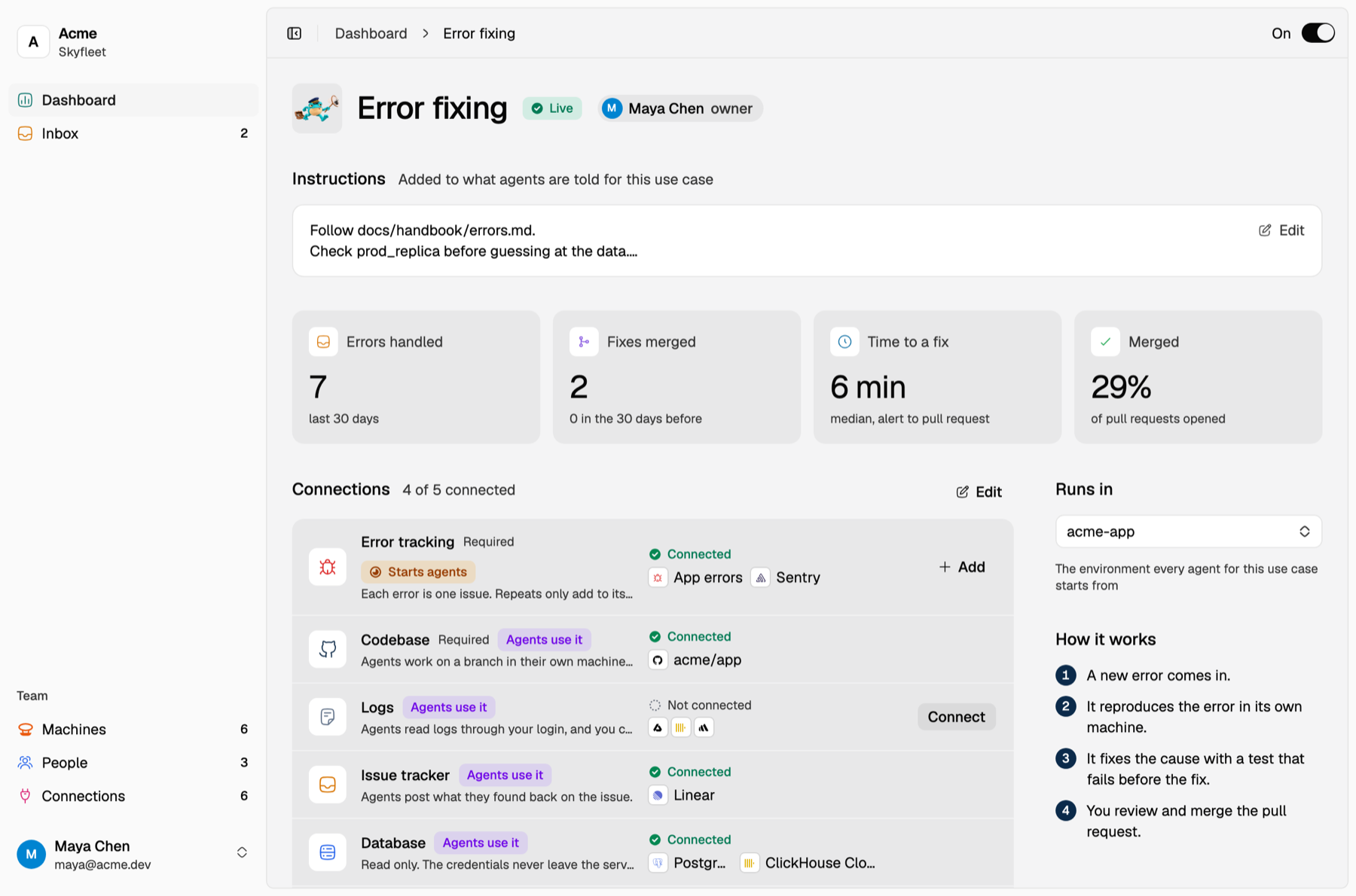
Your Dashboard lists your use cases and the fixes they got merged in the last 30 days. Press Add use case, pick one and press Add use case again. Adding an error tracker or an alert tool under Connections, or connecting Linear, adds its use case for you.
| Use case | What starts an agent | Needs |
|---|---|---|
| Error fixing | A new error in App errors, Sentry, PostHog, Better Stack Errors or Rollbar | Error tracking and your codebase |
| Incident response | An alert firing in Better Stack, ClickStack, Cloudflare, Axiom or Grafana | Alerts and your codebase |
| Customer support | Your support tool calling the webhook it makes when you add it | Your codebase |
| Ticket handoff | Someone mentioning @Skyfleet on a Linear issue | Linear and your codebase |
Error fixing, Customer support and Ticket handoff reproduce the bug, fix it with a test that fails first and open a pull request. Incident response finds the cause and says what to do, and opens a pull request when the cause is in your code. Their agents run on the team account, except Ticket handoff, which runs as whoever mentioned the agent.
On a use case's page
- On and off. Off means new errors and alerts still land in the Inbox, but no agent starts. A webhook answers
409, and a Linear mention gets a note saying the use case is off. - Connections. Each kind of tool it needs or works better with. Starts agents marks the one that triggers it, Agents use it marks the ones agents read from. Add on the Webhook row makes another link that starts it.
- Tools its agents can use. The databases and MCP servers its agents get on the team account, plus Linear when it's connected. An agent that runs as a person, like a Ticket handoff, gets every connection that person can use instead.
- Instructions. Added to what every agent for this use case is told: where logs
live, which docs to follow, who reviews. Agents also read your repo's
CLAUDE.md. - Runs in. The environment its agents start from. It has to be shared with the team.
- Owner. The person who looks after it.
Each use case counts what it handled, the fixes merged and the time from the first report to a pull request. Numbers come only from real issues, so a new use case shows N/A until it has run. Customer support counts webhook calls as handled and doesn't track merges yet. Remove use case deletes its webhooks, and its alert sources stop starting agents.
The Inbox
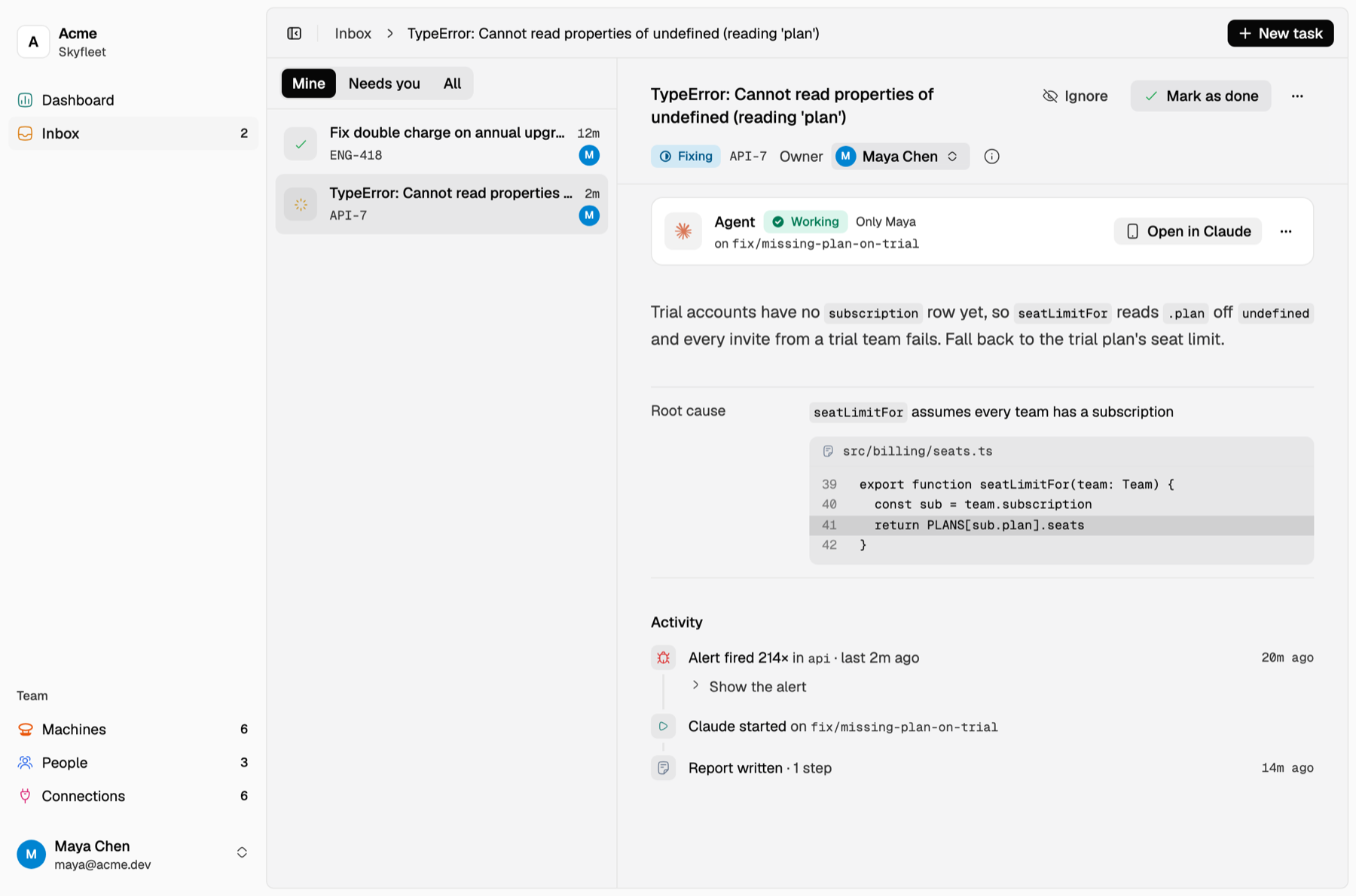
Every error, alert, webhook call and Linear mention becomes an issue in the Inbox, one per problem however often it happens. Its page shows what started it, every step the agent took, what it found and the pull request. Needs you lists the issues waiting on a person.
- Merging the pull request closes the issue when the repo has the Skyfleet GitHub App, or the pull request is linked on the Linear issue. If the same problem comes back, it reopens and a new agent starts.
- Mark as done or Ignore an issue yourself from its page. An ignored issue keeps counting but never starts an agent.
- New task hands an agent work in your own words. It runs as you, from the environment you pick, and reports on its issue like any other.